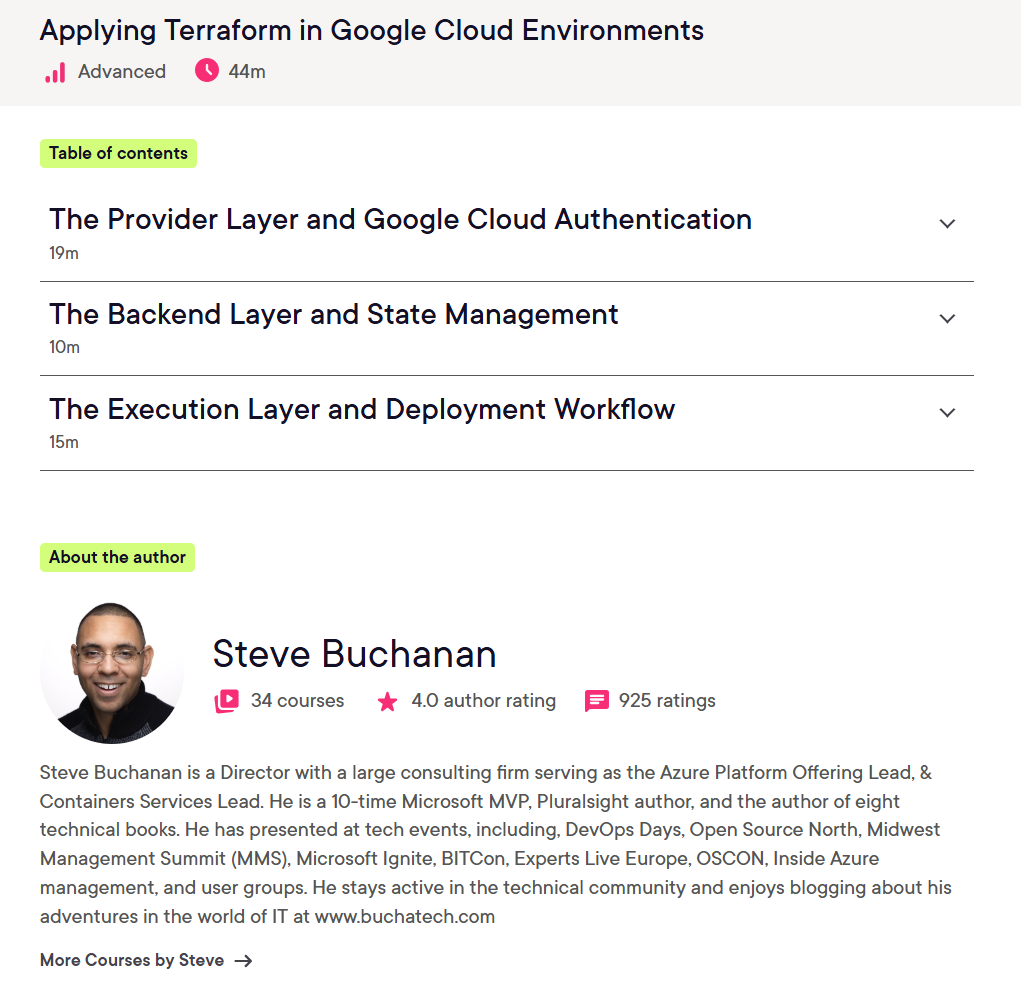
Ready to Level Up Your GCP Skills? My New Terraform Course Is Live. I’m excited to share that my latest Pluralsight course, Google Cloud Environments: Applying Terraform, is now live!
Infrastructure as Code (IaC) has become a foundational skill for modern cloud engineering teams, and Terraform continues to be one of the most widely adopted tools for managing cloud infrastructure consistently and at scale. In this course, I focus on how to apply Terraform effectively within Google Cloud environments to help engineers move beyond basic concepts and into practical, real-world implementation patterns.
Whether you’re a cloud engineer, DevOps engineer, platform engineer, or someone expanding into Google Cloud, this course is designed to help you build confidence working with Terraform in GCP environments.
What You’ll Learn
In this course, we walk through how Terraform can be used to deploy and manage infrastructure in Google Cloud using Infrastructure as Code principles. Topics include:
Understanding Terraform workflows in Google Cloud
Configuring providers and authentication
Managing infrastructure declaratively
Working with state management
Deploying and updating cloud resources
Using reusable Terraform configurations and modules
Applying Terraform concepts to real Google Cloud scenarios
The course is designed to help bridge the gap between learning Terraform syntax and actually applying it in cloud engineering environments.
Why Terraform Matters
Terraform enables teams to define infrastructure in code, making deployments more repeatable, scalable, and reliable. Instead of manually configuring cloud resources through portals and scripts, teams can standardize infrastructure deployments and treat infrastructure similarly to application code.
As organizations continue adopting cloud-native and multi-cloud strategies, Infrastructure as Code skills are becoming increasingly valuable across engineering and operations teams.
Hands-On Cloud Engineering Skills
One thing I always try to emphasize in technical training is practical application. The goal is not just to understand Terraform conceptually, but to understand how engineers actually use it in day-to-day cloud operations and platform engineering work.
Google Cloud and Terraform together create a powerful combination for:
Automated infrastructure deployments
Consistent environment management
Scalable cloud operations
DevOps and platform engineering workflows
Repeatable infrastructure provisioning
Pluralsight also provides broader Terraform and cloud engineering learning paths that complement these skills with additional hands-on labs and cloud-focused training.
Who This Course Is For
This course is a great fit for:
Cloud engineers
DevOps engineers
Platform engineers
SREs
IT professionals transitioning into cloud engineering
Anyone looking to strengthen their Terraform and Google Cloud skills
If you already have some familiarity with cloud concepts and want to deepen your Infrastructure as Code knowledge in GCP, this course should provide a solid next step.
I hope this course serves as a valuable resource in your IaC journey. Thank you for your continued support, and Be sure to follow my profile on Pluralsight so you will be notified as I release new courses!
Here is the link to my Pluralsight profile to follow me:
This is my first blog of the new year (2026)! Since being re-awarded as a Microsoft MVP, Microsoft provided me with a fresh set of Azure credits. One of the first things I wanted to do was rebuild my Azure lab environment. This time, I wanted to do it the right way. I wanted it to mirror how I would design and deploy a real enterprise environment, including running fully on private endpoints and following a proper hub-and-spoke network model.
Just as importantly, I wanted everything defined in Infrastructure as Code (IaC) so I could spin environments up and down whenever I needed. That also aligns perfectly with what my team at Jamf is working on right now. We are making some changes to our underlying Azure architecture, including deeper network isolation, security controls, intergration with Jamf security cloud security products, and a shift from Bicep to OpenTofu. We will also be using AI agents to do a lot of the heavy lifting in that refactor. I will be sharing more about that in future blogs and talks as much as I am able to publicly.
Because OpenTofu is at the center of that work, I decided to build my entire Azure lab using OpenTofu and a full hub-and-spoke architecture. This gives my team a real, working reference base implementation that we can build on for production designs. I also want to share this with the larger tech community.
If you are note familiar with OpenTofu it is an open source infrastructure-as-code engine based on Terraform that lets you define, deploy, and manage cloud infrastructure using declarative configuration files, and you can learn more at https://opentofu.org.
The solution deploys a production-style Azure network and platform foundation that includes:
Hub VNet with Azure Firewall, VPN Gateway, and DNS Private Resolver
Spoke VNet with peering and default routes through the firewall
Key Vault and Azure Container Registry using private endpoints
Optional Jumpbox VM for secure management access
GitHub Actions CI/CD pipeline using OIDC authentication
How the Automation Works
This is a multi-part solution built around a bootstrap Bash script (bootstrap.sh) and a fully generated OpenTofu repository.
The bootstrap script creates everything you need to get started:
It creates an Azure Storage Account to store your OpenTofu remote state.
It generates a complete OpenTofu project, including modules, variables, and environment structure.
It configures the backend so OpenTofu uses Azure Storage for state.
It creates a ready-to-use GitHub Actions pipeline for CI/CD.
Once the repository is generated, you can deploy your Azure environment by running OpenTofu locally or by pushing the repo to GitHub and letting the pipeline handle deployments for you. Within minutes, you can have a fully functional Azure hub-and-spoke environment up and running, and you can customize the generated modules to fit your own requirements.
Deployment Modes
The bootstrap bash script supports two deployment modes depending on how advanced and locked-down you want the environment to be.
FULL Mode (Default) This is the enterprise-grade option.
Hub VNet with Azure Firewall, VPN Gateway, and DNS Private Resolver
Spoke VNet with peering and default route through the firewall
Private endpoints for Key Vault and Azure Container Registry
Optional Jumpbox VM for secure management
GitHub Actions CI/CD pipeline with OIDC authentication
BASIC Mode This is a simpler version for learning or labs.
Hub VNet with Azure Firewall only
Spoke VNet with peering and default route through the firewall
Public access for Key Vault and Azure Container Registry
No Jumpbox, VPN Gateway, or DNS Private Resolver
GitHub Actions CI/CD pipeline with OIDC authentication
What the bootstrap.sh Script Does
When you run the bootstrap script, it will:
Prompt you to select FULL or BASIC deployment mode
Create an Azure Storage Account for OpenTofu remote state in rg-tfstate
Generate the full OpenTofu repository structure based on your choice
Configure the OpenTofu backend to use the storage account
Create GitHub Actions workflow files for CI/CD
Output the storage account details and the GitHub secrets you need to configure
From there, you are ready to deploy and customize the script and OpenTofu based on your Azure hub-and-spoke environment entirely through code.
Here is the Readme from the repo. It goes even more in depth into my “OpenTofu Azure Hub and Spoke” solution. I hope you find it useful!
This repository contains a production-ready, modular OpenTofu configuration that deploys Azure hub-spoke network topology with two deployment modes (private or public) to match your requirements and budget.
Architecture Overview
This solution deploys a hub-and-spoke network architecture (visual shows full-private deployment):
Enterprise-grade Azure network architecture lab environment with Site-to-Site VPN, Azure Firewall, DNS Private Resolver, and core services
This repository contains a production-ready, modular OpenTofu (Terraform) configuration that deploys a complete Azure hub-spoke network topology designed for hybrid cloud scenarios, connecting your on-premises network (e.g., UniFi network) to Azure.
Architecture Overview
This lab deploys a hub-and-spoke network architecture following Azure best practices (visual shows full private deployment):
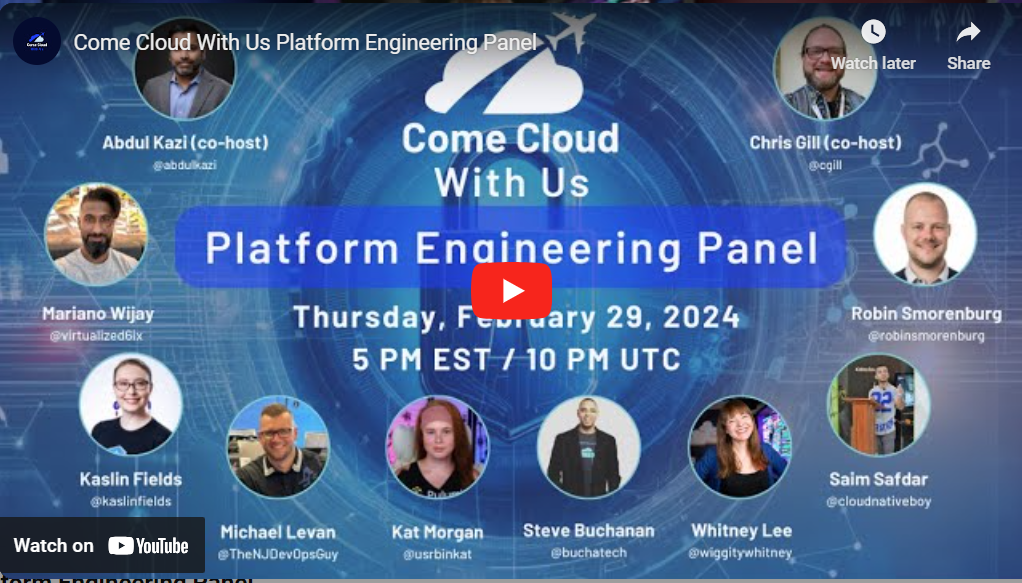
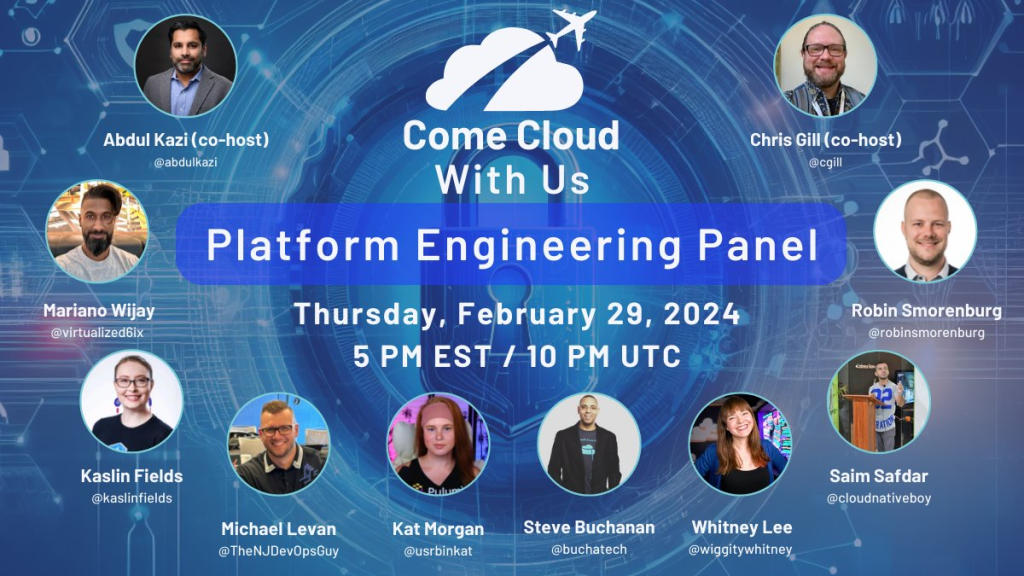
I am excited to be on another panel for the Come Cloud With Us folks!
This time this panel is focused on Platform Engineering. It will be at the end of February. You wont want to miss this panel! Here is more info about the panel:
When:
Thursday, February 29, 2024 at 4:00 PM to 5:30 PM CST
Where:
Online event
ThePanel: Steve Buchanan – Principal Program Manager at Microsoft Kaslin Fields – Developer Advocate at Google Marino Wijay – Cloud Native Solutions Engineering and Advocacy at Solo Michael Levan – Chief Engineer/Consultant, Content Creator, and Trainer Saim Safdar – Technical Leader and CNCF Ambassador Kat Morgan – Developer Advocate at Pulumi Whitney Lee – Staff Technical Advocate at VMware Robin Smorenburg – Lead Cloud Architect – Azure MVP & CNCF Ambassador
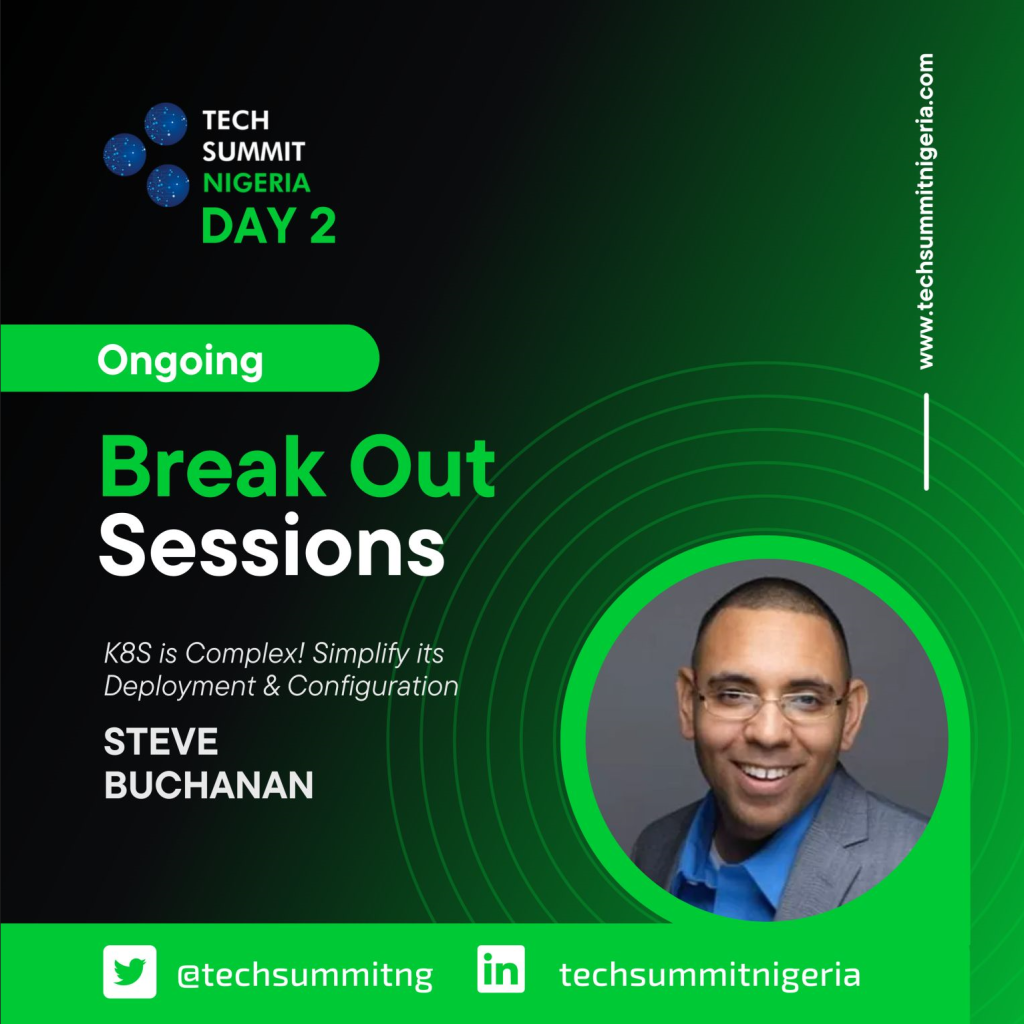
I will be speaking at Tech Summit Nigeria 2022. This event is to be held in Lagos, Nigeria at the Microsoft ADC center. It is an event for Cloud & Mixed- Reality professionals & enthusiasts. The website for the is https://www.techsummitnigeria.com.
My session title is: “K8s is complex! Simplify its Deployment & Configuration“.
The abstract is: Understanding Kubernetes is complex. Designing its architecture is complex. Deploying it is complex. And Configuring it is complex. K8s in general are complex. Spend less time on getting your Kubernetes up and running and more time running your containerized apps!
In this session, Steve Buchanan will take you on a journey utilizing a tool named the AKS Construction Helper that can simplify your AKS Deployment & Configurations.
***Update***
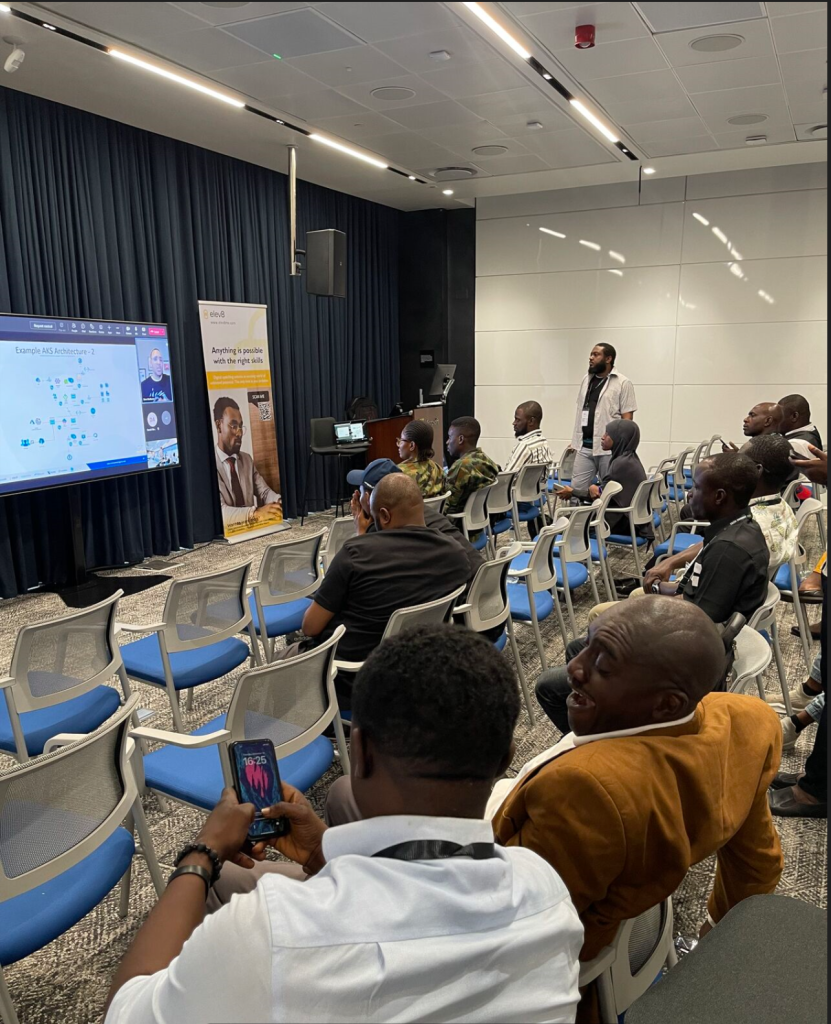
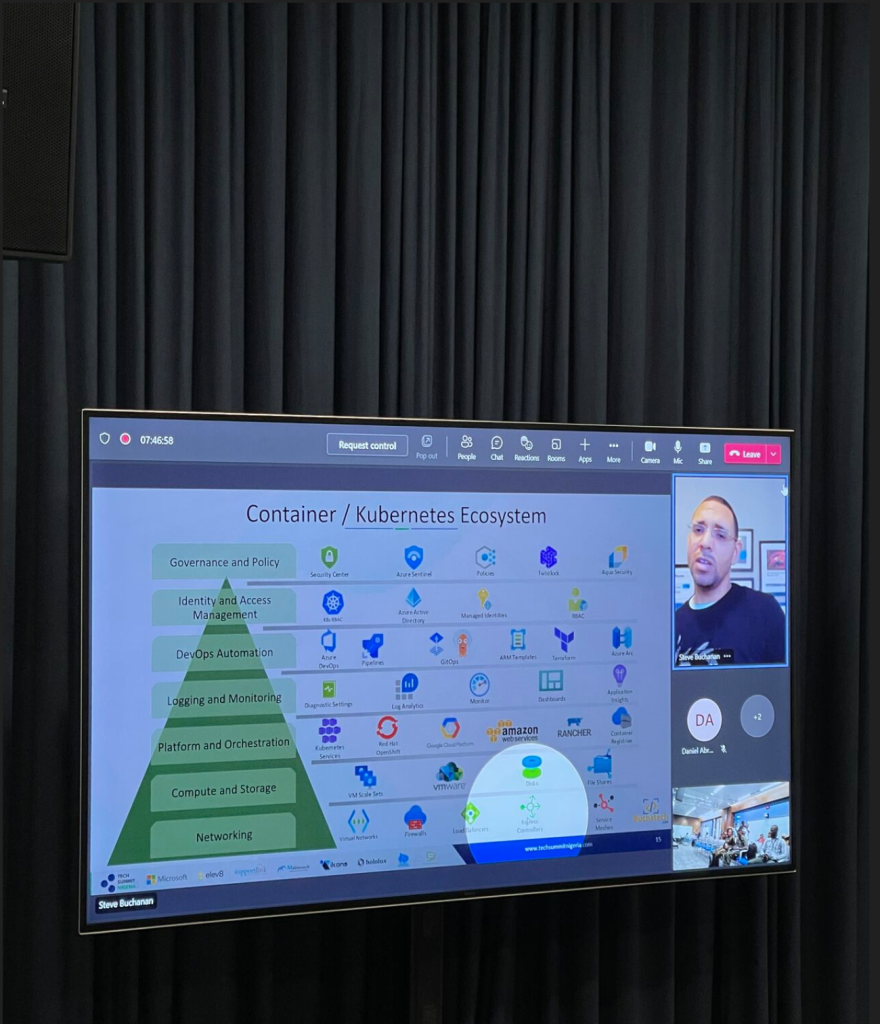
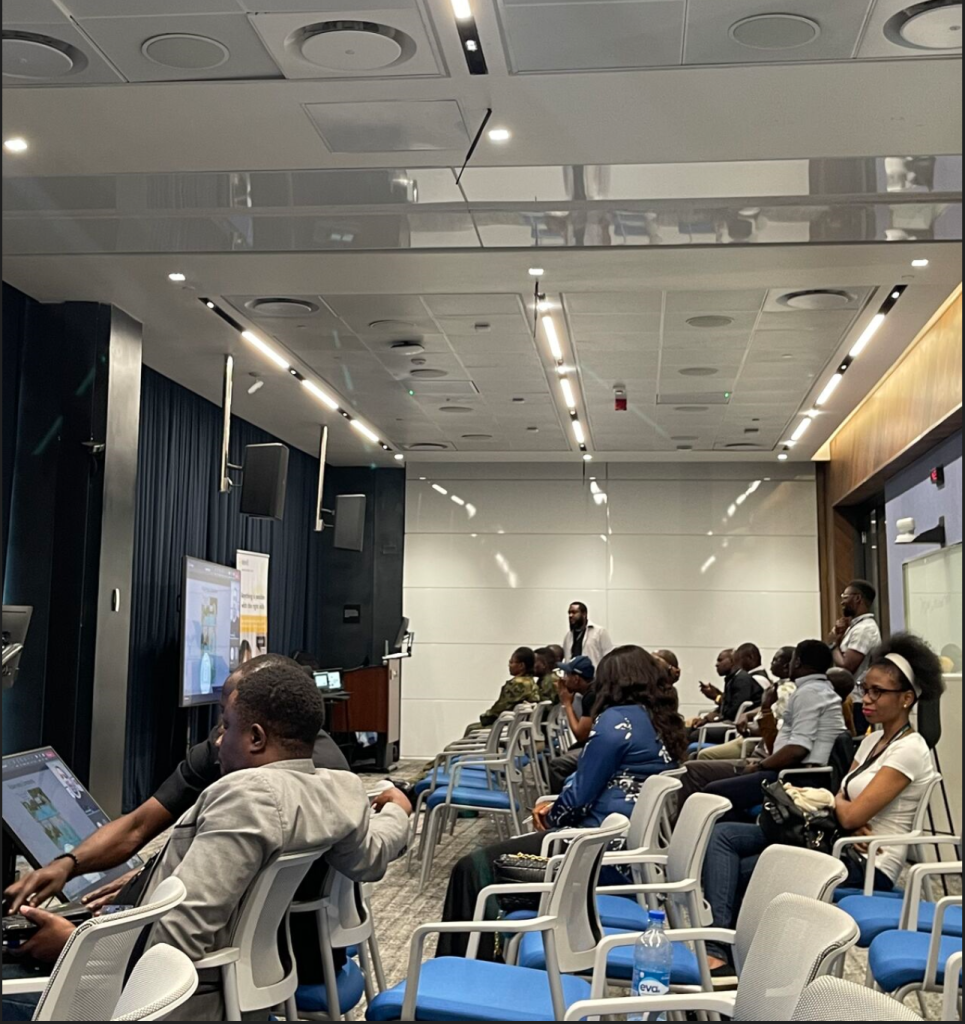
It was a fun session with an engaged audience! Here are some pictures from the session.
If you missed my session you can watch the replay here:
After designing and architecting AKS the next step is to deploy your cluster/s. It is ideal to build your AKS deployments out as code.
This means taking your Azure infrastructure & AKS cluster/s design and scripting them as IaC (Infrastructure as Code). Scripting the AKS deployment vs manually deploying gives you documentation as code, standardization, & a templatized deployment for repeatability. You can deploy this code as is, place it in a pipeline for ease of deployment, in inner-source, or in a service catalog for access by multiple teams.
Microsoft has built a tool named the AKS Construction helper to accelerate building out your IaC for AKS. This tool is not as well-known as it should be. I wanted to blog about this tool to share this great resource that will save you tons of time. The AKS Construction helper was originally launched by Keith Howling of Microsoft. The core contributors to this tool have been Gordon Byers and Keith Howling with contributions from others as well.
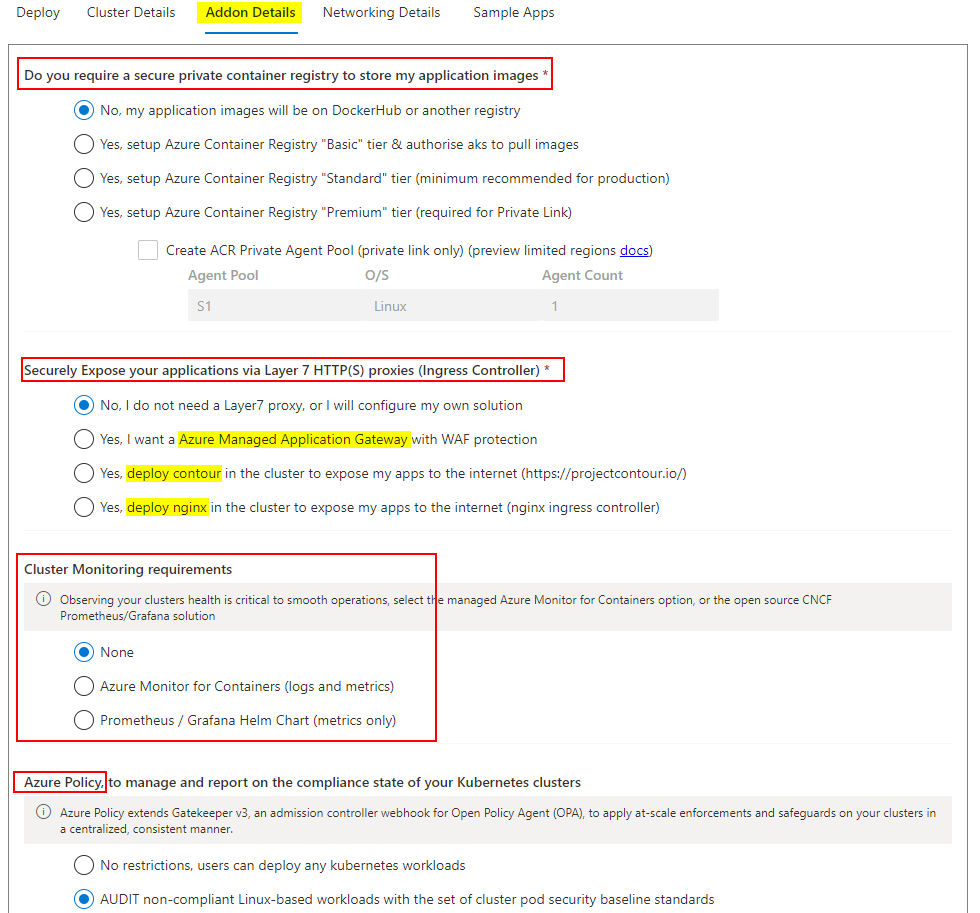
The AKS Construction helper unifies guidance provided by the AKS Secure Baseline, Well Architected Framework, Cloud Adoption Framework, and Enterprise-Scale. It also is part of the official AKS Landing Zone Accelerator (Enterprise Scale). The AKS Construction helper lets you configure your AKS deployment using wizard/form style selections. After you complete your selections the tool gives you IaC code that you can copy to perform the AKS Deployment/s. You can get code for Az CLI, a Github Actions workflow, Terraform, or a Parameters file that can be used with an ARM Template.
Let’s go ahead and take a tour of the tool.
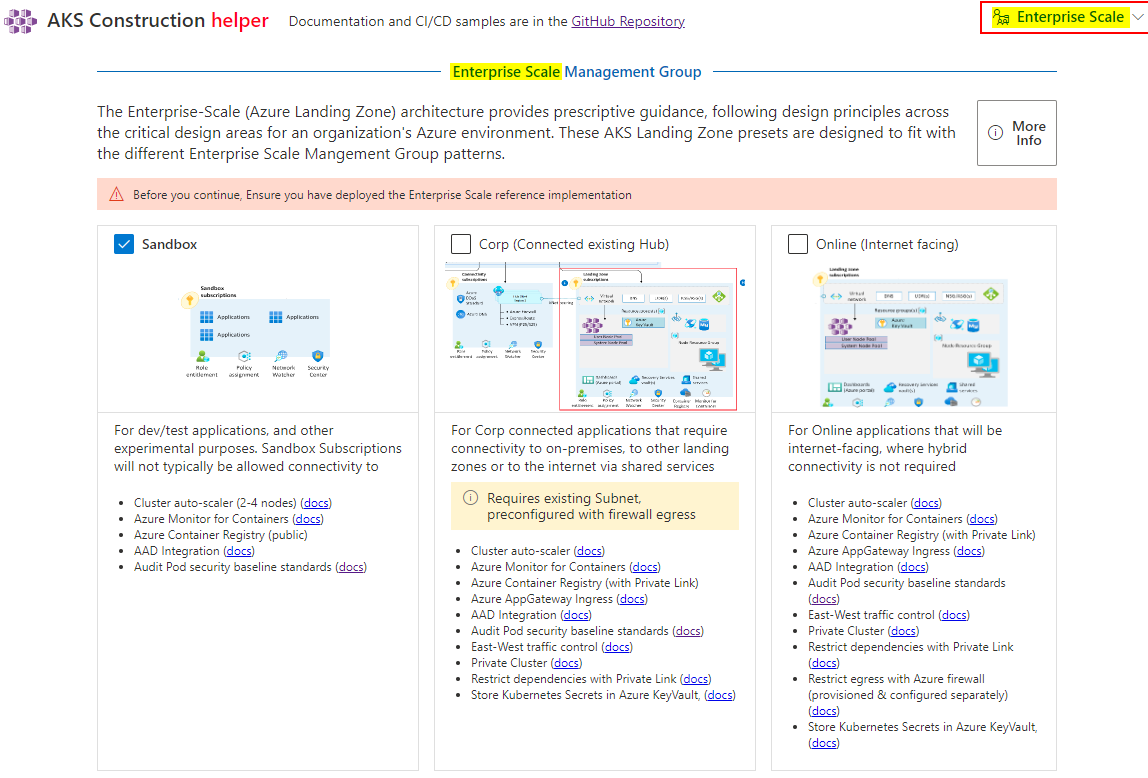
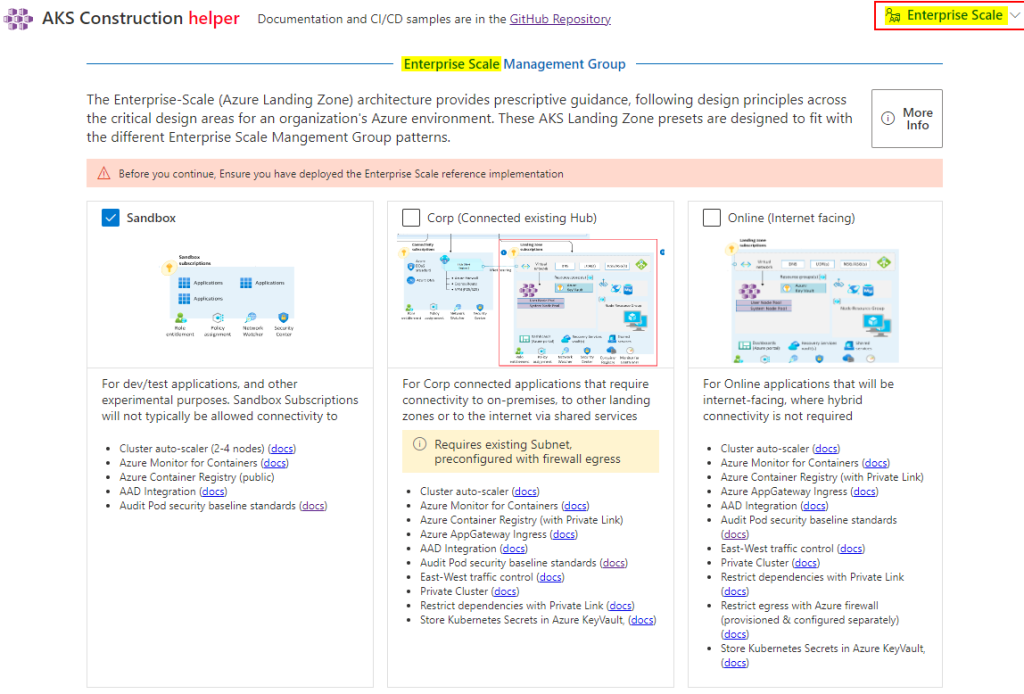
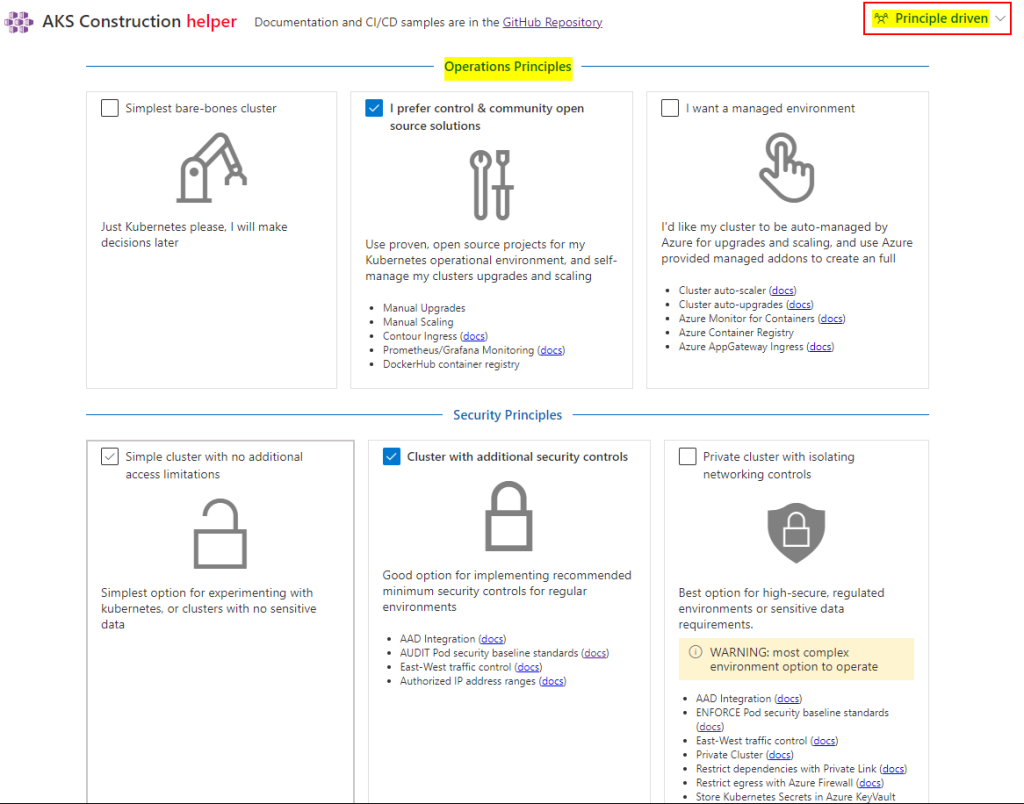
The tool lets you select Operations Principles or Enterprise-Scale path for configuring the options.
This helps narrow down the overall design requirements of your AKS deployment.
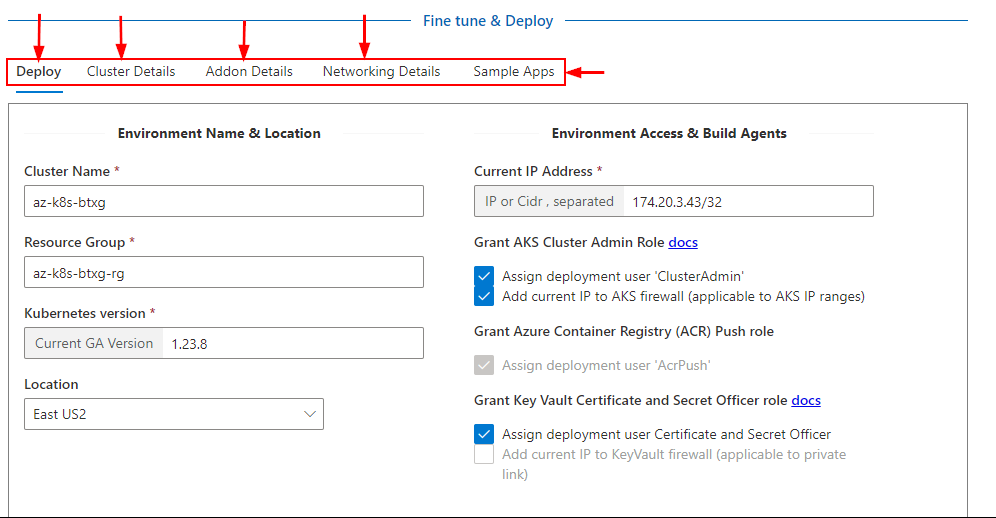
The next section of the AKS Construction helper is to fine-tune your AKS deployment. This gives you the chance to tweak things like the cluster name, K8s version, resource group, region, to be created, IP and Cider, initial RBAC, SLA, autoscaling, upgrade configuration, cluster networking, add ons such as an ingress controller (App Gateway, NGINX, etc), monitoring such as Azure Monitor, Azure policy, service mesh, secret storage, Keda, GitOps with Flux, and even has a few options to deploy some sample apps. This is done across 5 tabs in the Fine tine and Deploy section.
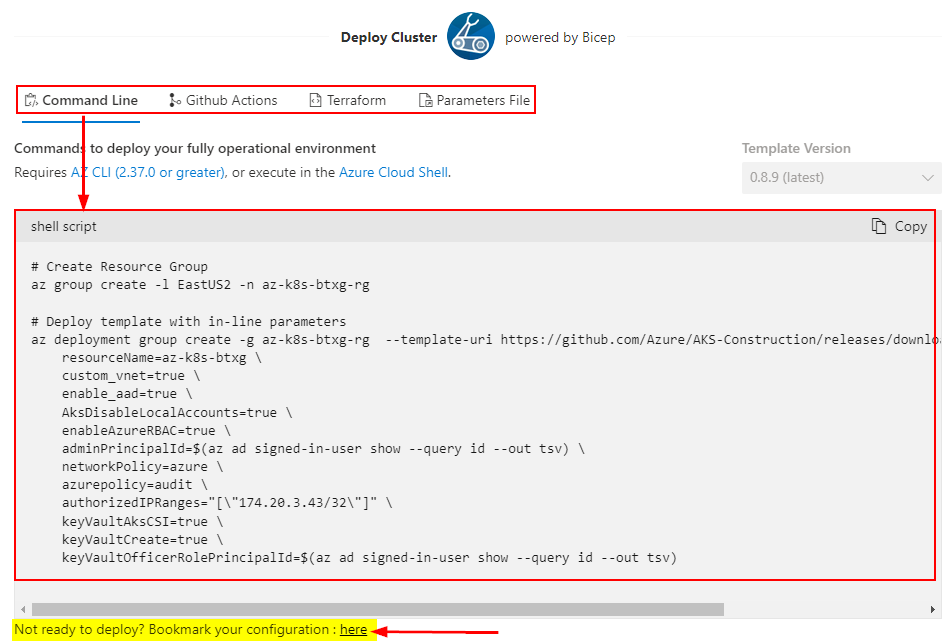
After you have set all of the configurations for your cluster there is code available for you to copy on the Deploy tab. Again you have options for Az CLI, a Github Actions workflow, Terraform scripts or an ARM Template Parameters file. Running the deployment code will deploy your AKS cluster exactly how you have it configured in the AKS Construction helper tool.
What if you are not ready to deploy your AKS Clusters now but you do not want to lose your configuration? The tool has you covered. At the end of the Deploy Cluster code you can click the link as shown in the screenshot to get a URL for your configuration.
You can access this URL at any time to pick up where you left off with your AKS deployment configuration.
That brings us to the end of this blog post. Stop wasting time, head over to the tool, and start using this for all of your AKS Deployments. Here are the links for the tool:
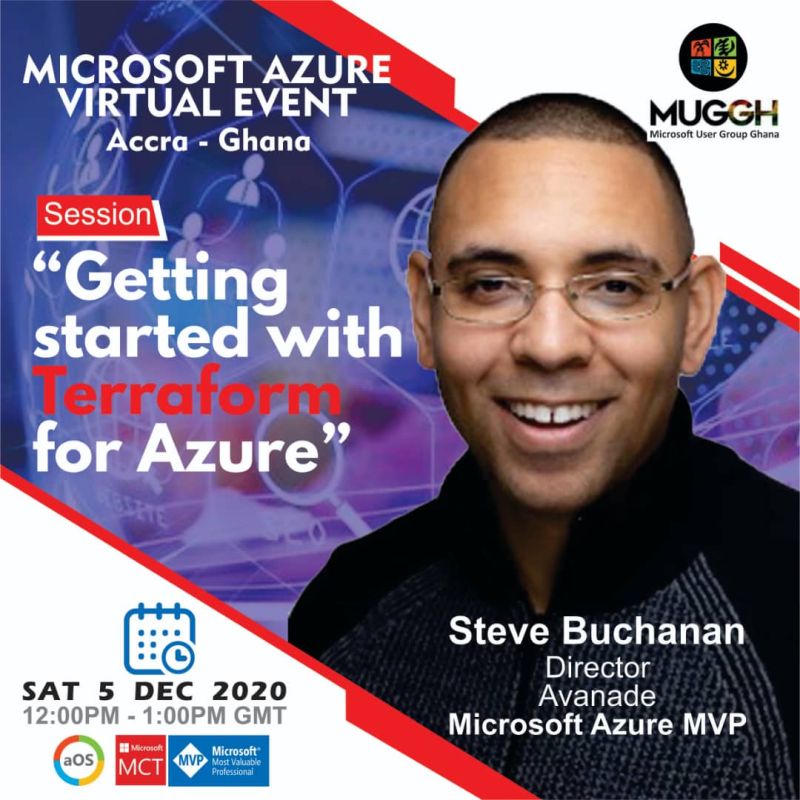
I am happy to announce my last speaking event for 2020. Speaking at a Azure User Group based out of Ghana.
I will be speaking on Terraform and Azure! I will be diving into how to get started with using Terraform as your Infrastructure as Code tool for Azure.
This is a full event with 3 sessions. I will be joined by Microsoft Sr Cloud Advocate Thomas Maurer speaking on Azure Arc and fellow Microsoft MVP Lawrence Reddy speaking on Azure Sentinel!
The event Saturday, 5th December 2020. I hope to see you there. You can register here:
Recently I was a guest on another podcast! This one is RunAsRadio.com.
Had a great time chatting with Richard Campbell about Infrastructure As Code and comparing Terraform with Azure ARM Templates & the new Bicep language. Check it out here:
I am also happy to announce that I was a tech reviewer on the first study guide for this cert titled “HashiCorp Terraform Certified Associate PreparationGuide“. You can find it here: https://leanpub.com/terraform-certified/. This guide was authored by fellow Microsoft MVP Ned Bellavance and Microsoft CSA Adin Ermie. Huge thanks guys for letting me be a part of this project!
If you work with Terraform I hope you get certified and be sure to use the study guide!
In a week I will be speaking at MMS 2019! I will be presenting 3 sessions and co-hosting 2 panels. If you are attending MMS check out my sessions and the panels. Here is the rundown:
Sessions:
Monday, May 6 • 1:00pm – 2:45pm Deploying Infrastructure as Code with Azure and Terraform – With fellow Microsoft MVP Ned Bellavance https://sched.co/N6cC
Tuesday, May 7 • 8:00am – 9:45am Improving your on-prem and cloud security with Azure Security Center – With fellow Microsoft MVP Ned Bellavance https://sched.co/N6c9
Thursday, May 9 • 1:00pm – 2:45pm Mastering Azure with Visual Studio Code – With fellow Microsoft MVP Peter De Tender. https://sched.co/N6d4
Panels:
Tuesday, May 7 • 3:00pm – 4:45pm Azure Governance and Management Panel https://sched.co/N6gD
This panel includes an all-star group from Microsoft including:
Tim Benjamin
Principal Group PM Manager, Microsoft
Michael Greene
Principal Program Manager, Microsoft
Jim Britt
Senior Program Manager, Microsoft
and
Eamon O’Reilly Principal Program Manager, Microsoft
CloudSkills.fm is a podcast by fellow Microsoft MVP Mike Pfeiffer and veteran in the tech space with 5 books under his belt and numerous courses on Pluralsight. The podcast can be found here: cloudskills.fm. Mike is an all around good guy and I was honored to be a featured guest on one of his podcast episodes. The podcast is weekly with technical tips and career advice for people working in the cloud computing industry. The podcast is geared for developers, IT pros, those making move into cloud.
On this episode Mike
and I talked about managing both the technical and non-technical aspects of
your career in the cloud computing industry. We also discuss DevOps stuff
around Docker, Azure Kubernetes Service, Terraform and cloud stuff around Azure
management including my 5 points to success with cloud. You can listen to the
podcast here:
I’m very excited
Opsgility recently published a new Azure course by me titled: “Deploy and
Configure Infrastructure”. This course is part of the AZ 300 certification
learning path for Microsoft Azure Architect Technologies. More about the AZ 300
certification can be found here: https://www.microsoft.com/en-us/learning/exam-az-300.aspx.
The course is over 4 hours of Azure content!
Description of the course:
In the course learn
how to analyze resource utilization and consumption, create and configure
storage accounts, create and configure a VM for Windows and Linux, create
connectivity between virtual networks, implement and manage virtual networking,
manage Azure Active Directory, and implement and manage hybrid identities.