The energy around Microsoft Build is always unmatched, but this year’s event holds a special place for me. I am excited to share that I will be attending Microsoft Build 2026 for the first time not just as an attendee, but as one of the Microsoft Experts in the Expert Meetup!
If you are heading to San Francisco, you can find me and a fantastic group of Microsoft Full-Time Employees (FTEs) and fellow Microsoft MVPs over in the Festival Pavilion. This dedicated area is designed for deep dives, unfiltered technical discussions, and collaborative problem-solving.
What is the Expert Meetup?
The Expert Meetup is all about direct, one-on-one connection. It’s a space where you can get dedicated time with folks who live and breathe this technology every day. Whether you want to see live demos, explore highly specific real-world use cases, or literally dive into code from foundational models all the way to production deployment this is where it happens.
My Focus Areas: Cloud Native, Open Source, and Beyond
While the entire expert area spans an incredible lineup of modern technology domains including Azure Application Services, AI-Ready Infrastructure, Governance & Compliance, and Agentic Modernization but my primary focus will be centered on Cloud Native architectures.
I’ll be on hand to chat about everything from Kubernetes, Azure Kubernetes Service, and container strategies to microservices scaling and the modern developer expericience. Additionally, we can talk about the following technical areas including:
Cloud Native & Open Source: Integrating OSS tooling seamlessly into your enterprise ecosystem.
Artificial Intelligence: Bridging the gap between cloud-native infrastructure and AI-ready workloads.
General Azure Architecture: Best practices, optimization strategies, and landing zone foundations.
Let’s Connect
Events like Build are fundamentally about the community. If you are a former Microsoft colleague, a fellow Microsoft MVP, a GitHub Star, an enterprise developer, or an cloud/cloud native enthusiast lets connect! Stop by the Festival Pavilion, grab me for a coffee, or ping me ahead of time so we can sync up.
Let’s talk code, AI, Cloud Native share what we are building, and figure out how to solve your toughest engineering challenges together. See you in the Festival Pavilion!
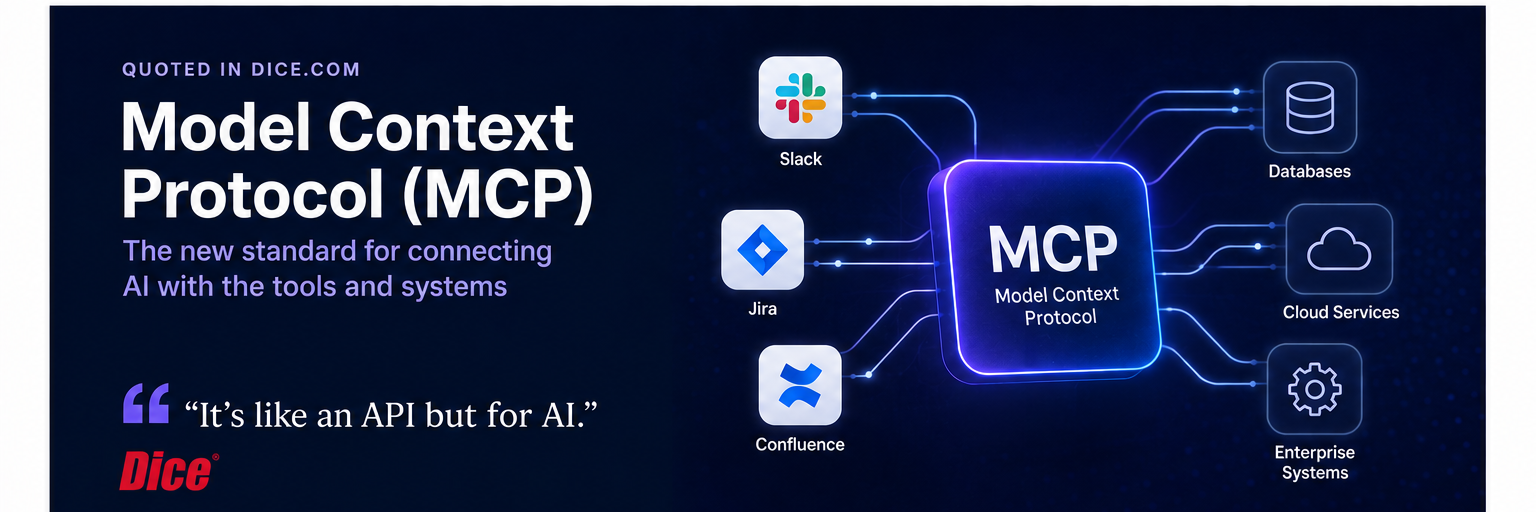
I recently had the pleasure of chatting with Brian Horowitz at Dice.com to share my thoughts on why MCP is a game-changer for developers and organizations alike. The article, titled “Model Context Protocol: What Is It and How to Learn It”, explores how MCP is helping transform AI systems from isolated chat experiences into connected systems that can interact with real-world tools, services, and enterprise platforms.
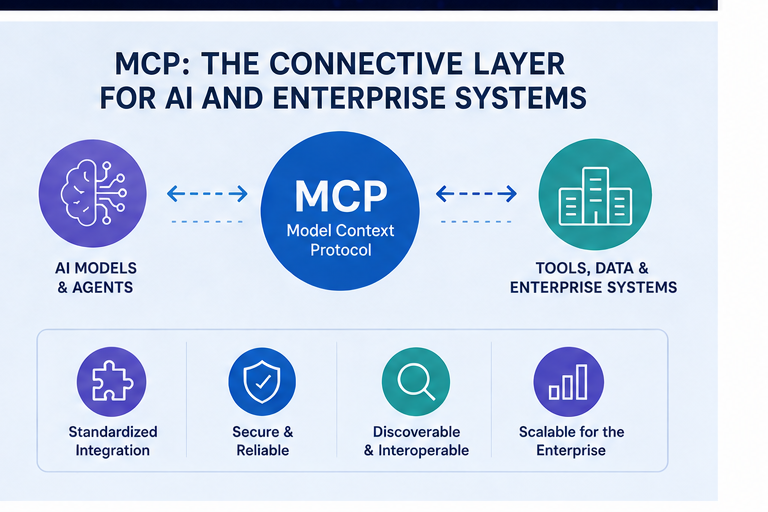
As part of the article, I shared some thoughts on how MCP is becoming the connective layer between AI agents and enterprise systems:
“It’s like an API but for AI.”
That simple comparison captures why MCP matters so much. Traditional APIs allow applications to communicate with each other. MCP extends this idea into the AI world, enabling AI systems and agents to securely connect to tools, data sources, SaaS platforms, and operational systems in a standardized way.
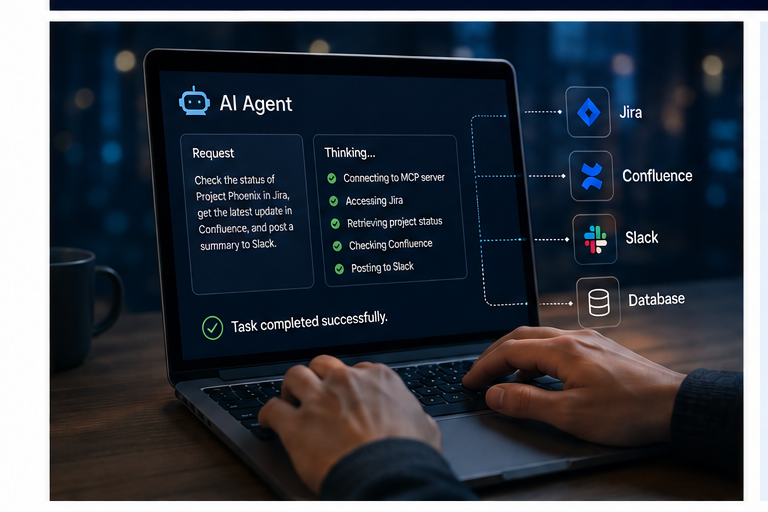
One of the examples I shared in the article was how MCP enables AI systems to interact directly with enterprise collaboration and workflow platforms.
As I explained in the interview:
“You can connect a platform like ChatGPT to a common tool like Slack. And if you connect MCP to Atlassian Suite, Jira or Confluence, you can prompt AI to perform tasks with those systems.”
This is one of the reasons MCP is generating so much excitement across the industry. Instead of AI being limited to answering questions in isolation, MCP allows AI agents to interact with the actual systems teams use every day.
Imagine prompting an AI assistant to:
Create or update Jira tickets
Pull information from Confluence documentation
Summarize Slack discussions
Generate status reports across engineering systems
Trigger workflows and operational tasks
That shift moves AI from being simply conversational into becoming operational.
For engineering organizations, platform teams, and enterprise IT departments, this creates major opportunities to improve productivity, automate repetitive workflows, and build smarter developer experiences across existing toolchains.
At companies operating at scale, especially those managing cloud platforms, Kubernetes environments, DevOps systems, and SaaS operations, MCP has the potential to become a foundational integration layer for enterprise AI workflows.
Why MCP Matters
One of the biggest limitations of AI systems historically has been context and actionability. AI models could generate responses, but they often struggled to interact directly with the systems where actual business work happens.
MCP changes that.
Instead of building custom integrations for every AI interaction, organizations can expose capabilities through MCP servers that AI systems can discover and use dynamically. This creates a more scalable and interoperable ecosystem for AI tooling.
In the article, I discussed examples such as:
Connecting AI systems to tools like Slack, Jira, and Confluence
Enabling AI agents to work across DevOps and IT operations workflows
Allowing healthcare systems to connect AI to scheduling, insurance, and EHR platforms
Using MCP as the “glue” between AI agents and enterprise systems
This is where things get especially exciting for cloud engineering, platform engineering, and AI infrastructure teams.
MCP and the Future of Enterprise AI
I strongly believe MCP will become foundational infrastructure for enterprise AI adoption.
As organizations move beyond isolated AI chat experiences and toward AI agents that can actually perform work, interoperability becomes critical. MCP helps provide a standard way for AI systems to securely interact with tools and data sources without requiring endless custom integrations.
We are already seeing major momentum across the industry, including adoption and support around MCP-related tooling from companies and ecosystems tied to AI platforms, developer tooling, and cloud services.
For engineering leaders, cloud teams, and developers, this is a space worth paying attention to now, not later.
How to Start Learning MCP
One of the recommendations I shared in the article was to start hands-on:
Experiment with MCP servers locally
Use tools like Docker Desktop to simplify setup
Explore AI agents connected to MCP-enabled systems
Learn foundational skills in Python and debugging tools like Visual Studio Code
Focus on understanding how AI agents interact with external systems
The best way to understand MCP is to build with it.
Final Thoughts
It’s an honor to be included alongside other industry voices discussing where AI infrastructure and interoperability are headed next.
We are entering a phase where AI is no longer just about prompts and chat interfaces. The next wave is about connected AI systems, AI agents, and enterprise integration at scale.
And MCP is quickly becoming one of the most important standards enabling that future.
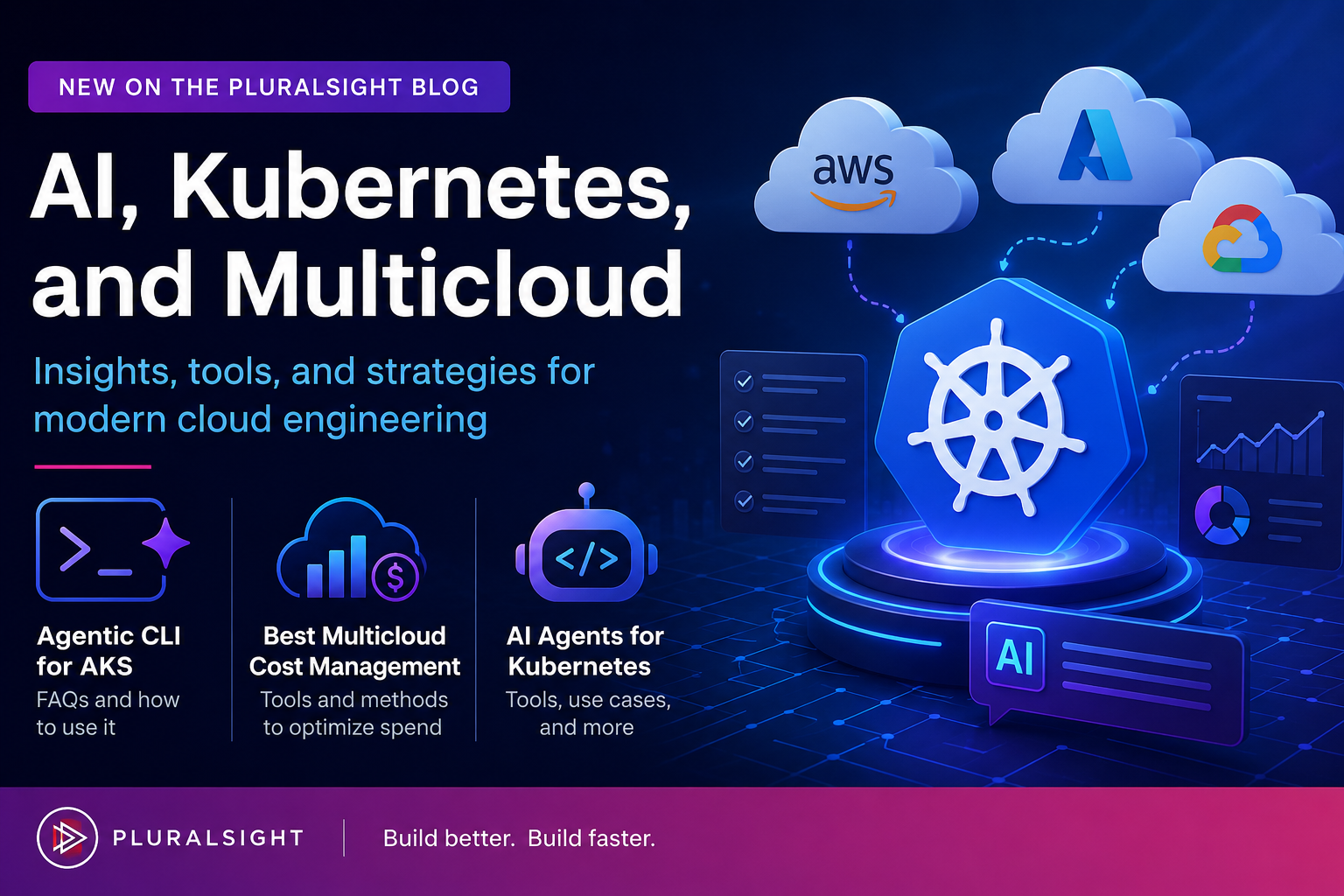
As cloud-native infrastructure, Kubernetes, AI, and multicloud strategies continue to evolve, I recently had the opportunity to publish several new articles on the Pluralsight Blog focused on some of the biggest operational and architectural trends happening right now.
These articles explore the growing role of AI in Kubernetes operations, the realities of multicloud cost management, and the rise of agentic tooling for cloud platforms.
New Blog Posts on Pluralsight.com
Agentic CLI for AKS: FAQs and how to use it
In this article, I break down Microsoft’s emerging Agentic CLI for AKS experience and explain what it actually is, how it works, and where it fits into Kubernetes operations. The post explores how the tool uses AI to assist with troubleshooting and diagnostics for Azure Kubernetes Service environments while still keeping humans in control of operational decisions.
Multicloud environments can create massive flexibility, but they also create significant operational and financial complexity. In this article, I explore practical multicloud cost management strategies, tooling approaches, and methods organizations can use to improve visibility and optimize spend across AWS, Azure, and GCP.
AI agents are quickly becoming one of the most interesting emerging areas in cloud-native operations. This article explores what AI agents for Kubernetes actually are, the problems they aim to solve, and some of the current tools and approaches appearing in the ecosystem. I also discuss where these systems may realistically help platform teams and where caution is still needed.
These topics sit at the intersection of AI, cloud engineering, Kubernetes operations, platform engineering, and FinOps, and they represent some of the biggest conversations happening across the industry right now. If you’re working in cloud-native infrastructure, platform engineering, DevOps, or AI-enabled operations, I hope these articles provide useful insight and practical perspective.
Be sure to follow my profile on Pluralsight so you will be notified as I release new courses!
Here is the link to my Pluralsight profile to follow me:
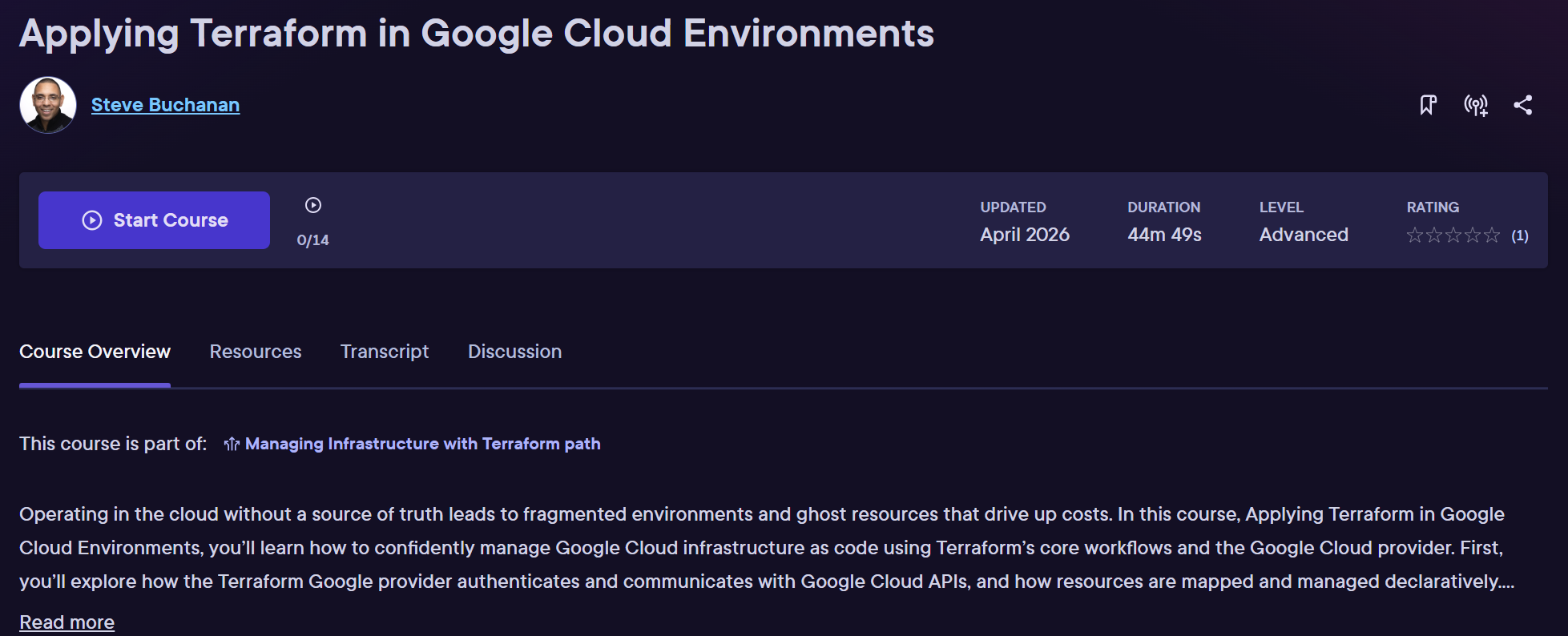
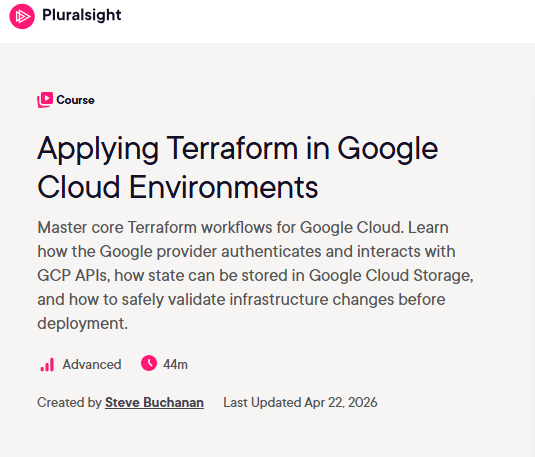
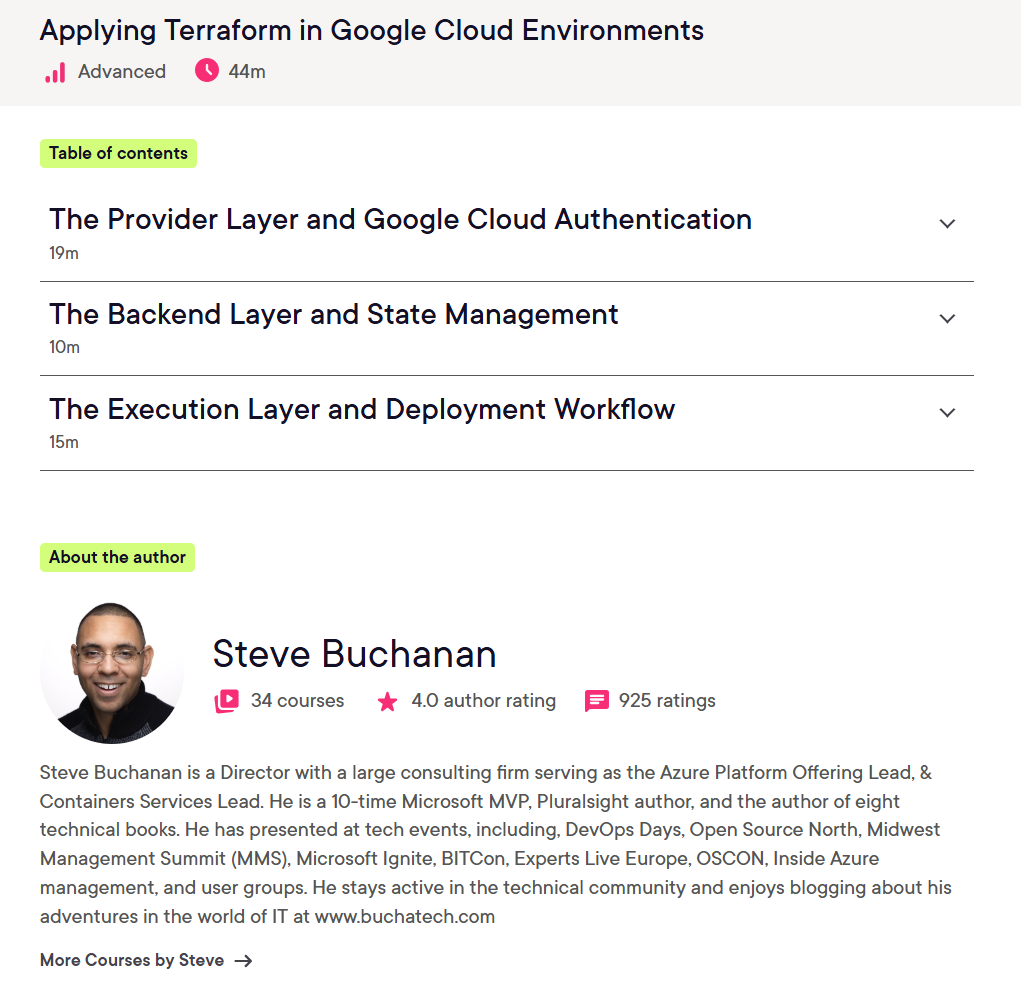
Ready to Level Up Your GCP Skills? My New Terraform Course Is Live. I’m excited to share that my latest Pluralsight course, Google Cloud Environments: Applying Terraform, is now live!
Infrastructure as Code (IaC) has become a foundational skill for modern cloud engineering teams, and Terraform continues to be one of the most widely adopted tools for managing cloud infrastructure consistently and at scale. In this course, I focus on how to apply Terraform effectively within Google Cloud environments to help engineers move beyond basic concepts and into practical, real-world implementation patterns.
Whether you’re a cloud engineer, DevOps engineer, platform engineer, or someone expanding into Google Cloud, this course is designed to help you build confidence working with Terraform in GCP environments.
What You’ll Learn
In this course, we walk through how Terraform can be used to deploy and manage infrastructure in Google Cloud using Infrastructure as Code principles. Topics include:
Understanding Terraform workflows in Google Cloud
Configuring providers and authentication
Managing infrastructure declaratively
Working with state management
Deploying and updating cloud resources
Using reusable Terraform configurations and modules
Applying Terraform concepts to real Google Cloud scenarios
The course is designed to help bridge the gap between learning Terraform syntax and actually applying it in cloud engineering environments.
Why Terraform Matters
Terraform enables teams to define infrastructure in code, making deployments more repeatable, scalable, and reliable. Instead of manually configuring cloud resources through portals and scripts, teams can standardize infrastructure deployments and treat infrastructure similarly to application code.
As organizations continue adopting cloud-native and multi-cloud strategies, Infrastructure as Code skills are becoming increasingly valuable across engineering and operations teams.
Hands-On Cloud Engineering Skills
One thing I always try to emphasize in technical training is practical application. The goal is not just to understand Terraform conceptually, but to understand how engineers actually use it in day-to-day cloud operations and platform engineering work.
Google Cloud and Terraform together create a powerful combination for:
Automated infrastructure deployments
Consistent environment management
Scalable cloud operations
DevOps and platform engineering workflows
Repeatable infrastructure provisioning
Pluralsight also provides broader Terraform and cloud engineering learning paths that complement these skills with additional hands-on labs and cloud-focused training.
Who This Course Is For
This course is a great fit for:
Cloud engineers
DevOps engineers
Platform engineers
SREs
IT professionals transitioning into cloud engineering
Anyone looking to strengthen their Terraform and Google Cloud skills
If you already have some familiarity with cloud concepts and want to deepen your Infrastructure as Code knowledge in GCP, this course should provide a solid next step.
I hope this course serves as a valuable resource in your IaC journey. Thank you for your continued support, and Be sure to follow my profile on Pluralsight so you will be notified as I release new courses!
Here is the link to my Pluralsight profile to follow me:
Ive reached a milestone with my 30th course recently published on Pluralsight. This course is titled Google Firebase Studio Foundations. This was a course topic I suggested to the teams at Pluralsight since Vibe Coding is seeing so much growth and this solution is used for that. It is my 6th AI related course. Firebase Studio is Google’s full stack AI-powered development environment that streamlines the process of prototyping and building apps from idea to deployment.
In this course, Google Firebase Studio Foundations, you’ll start by learning the basics of vibe coding with Firebase Studio. First, you’ll explore how the Gemini AI Agent fits into the development workflow. Next, you’ll discover how to speed up backend, frontend, and mobile app development with AI assistance. Finally, you’ll take an app idea from concept to a working deployment on Firebase App Hosting. By the end of this course, you’ll have the skills needed to confidently use Firebase Studio to build and run modern apps.
I brought this topic forward because I was excited about the opportunity to author a course that showcases what Firebase Studio can do in the vibe coding space. I also wanted to raise awareness about the platform since it can be used for free, and developers can expand to a generous number of workspaces at no cost through a Google Developers account. I packed this course with demos as we work through vibe coding an app.
This course is ideal for beginners and aspiring developers who want to prototype, build and deploy apps with Google Firebase Studio. Ideal learners include students, early-stage founders, and tech professionals curious about AI-assisted development.
These are the topics in the course:
Get Started with Firebase Studio
Intro and Overview
Introduction to Vibe Coding
Introduction to Firebase Studio
Demo: Exploring Firebase Studio
Development with Firebase Studio
Intro and Overview
Accelerating Development with Vibe Coding
Demo: Generating a Full App with the Firebase Prototyper
I hope this course serves as a valuable resource in your Vibe Coding, AI, and app building journey. Thank you for your continued support, and Be sure to follow my profile on Pluralsight so you will be notified as I release new courses!
Here is the link to my Pluralsight profile to follow me:
I posted about this milestone on LinkedIn. Something really cool happened. The former CEO and founder of Pluralsight Aaron Skonnard commented on the post congratulating me. This means a lot coming from the founder of Pluralsight.
It’s hard to believe, but it’s been a couple of years since I last sat down with Richard Campbell on RunAs Radio. Technology moves fast, but the cloud landscape has matured in ways that were only just beginning during my last visit.
I recently joined Richard for my third appearance on the show (Episode #1025) to talk about a challenge that is becoming the “new normal” for major SaaS providers: Expanding a Cloud-Native stack across multiple clouds.
From Single-Cloud Roots to Multi-Cloud Reality
At Jamf, we’ve built a powerful reputation for managing Apple devices at scale. Historically, our SaaS product was rooted in AWS. However, as our customer base grows, now serving over 70k+ customers worldwide the demand for flexibility grows with it.
In this episode, we discuss the journey of bringing those SaaS workloads to Azure and AKS. It isn’t just about “moving” code; it’s about architecting for consistency without losing the unique benefits of each cloud provider.
Kubernetes: The Common Ground (But Not the Whole Story)
One of the key takeaways from our chat is that while Kubernetes (AKS, EKS, GKE) provides the common operating system for the modern cloud, it isn’t a “magic wand” for multi-cloud.
To achieve true consistency, you have to look past the orchestrator and focus on the surrounding ecosystem. We dove into the complexities of:
IaC & Deployment: Why tools like OpenTofu are becoming essential for maintaining cloud-agnostic deployments.
Observability: Using Prometheus and Grafana to ensure that your SRE teams see the same data regardless of whether the backend is Azure or AWS.
Identity: Navigating the friction between different identity providers to ensure a seamless experience for the end user and how platforms like Okta support this.
The Docker & AI Connection
We couldn’t have a conversation in 2026 without touching on the elephant in the room: AI. As a Microsoft MVP focused on AKS and a Docker Captain, I’ve been watching closely how the Kubernetes and container ecosystem is evolving to support AI/ML workloads. Richard and I spent some time discussing how Docker, Inc. is positioning itself in this space and how developers can leverage these tools to build AI-ready applications without getting locked into a single vendor’s proprietary stack.
Reflections on a Maturing Landscape
Coming back to RunAs Radio for a third time allowed me to reflect on just how much our industry has shifted. We’ve moved past the “is the cloud safe?” phase and into the “how do we optimize for a multi-cloud world?” phase.
Whether you are a platform engineer, a developer, or a technical leader, the lessons I’ve learned at Accenture, Microsoft, helping startups, and now at Jamf while scaling across multple clouds are applicable to almost any modern enterprise.
I am excited to share that I will be speaking at this year’s Open Source North conference on May 29, 2025, at the University of St. Thomas in St. Paul.
This year, I’m teaming up with my fellow Jamf, Levi McCormick (Director of Engineering at Jamf), for a session that is very close to our daily reality: Multi-Cloud Without the Marketing or Designing for Multi-Cloud Without Losing Your Mind.
Why this talk? In the cloud industry, “Multi-Cloud”, “Cloud Native”, and “Iac via Terraform” are often sold as magic pills for redundancy, cost savings, unifaction and more across clouds. But for the people actually building and maintaining these systems, it can often feel like a recipe for complexity and technical debt.
At Jamf, Levi and I work on our infrastructure efforts across AWS, Azure, and GCP. We’ve learned—sometimes the hard way—what works, what doesn’t, and where the “hype” version of cloud differs from the “production” version. We wanted to build a session that focuses on the practical:
How to design for portability without over-engineering.
Managing identity, networking, and security across different providers.
Avoiding the “lowest common denominator” trap.
Keeping your sanity while managing three different clouds.
Open Source North is a great local event to the MN Tech scene because of the high-caliber community and the focus on real-world engineering. Whether you are a cloud veteran or just starting to look at a second provider, we’d love to see you there.
The Details:
Conference: Open Source North 2025
Date: May 29, 2025
Location: University of St. Thomas (St. Paul Campus)
As devs, platform engineers, and DevOps practitioners, we all feel it: the pace of change is relentless. New tools, new architectures, new expectations, and AI. It can be hard to separate where to invest our time from hype.
That’s exactly why I want decided to write this post about the2025 Docker State of Application Development Report from Docker.
This report is not marketing fluff. It’s based on insights from over 4,500 developers and engineering professionals and offers a grounded snapshot of how application development is actually evolving today.
Although published in 2025, this report covers long-running trends that continue to shape modern application development. Areas like containerized workflows, cloud-based development environments, AI-assisted tooling, and shared responsibility for security evolve over time rather than changing overnight.
Referencing the 2025 report ahead of the 2026 release provides valuable context. It establishes a baseline for understanding where the industry is coming from, which patterns are proving durable, and which challenges continue to persist. I’ll be looking out for the 2026 report. If you havent checked it out the 2025 report yet you should.
As a Docker Captain, I strongly encourage you to read the full report. But first, here are some of the key takeaways that stood out to me:
Remote-First Development Is Becoming the New Normal
One of the biggest shifts in 2025 is how developers are working:
64% of developers now use non-local development environments as their primary setup
Only 36% rely primarily on local machines
That’s a significant change from previous years, and it speaks to the reality that cloud-based workflows, remote dev environments, and tools that unify development environments are now mainstream. This shift isn’t just a trend — it’s redefining how teams collaborate and deliver software efficiently.
Developer Productivity Still Faces Friction Points
The report highlights that, despite improvements in tooling and culture, many teams still experience bottlenecks in everyday work:
Pull requests stuck in review
Tasks without clear estimates
Slowdowns in the “inner development loop”
Even with great culture and tooling, friction still exists, especially around planning and execution. Knowing where dev productivity stalls helps us focus improvements where they matter most.
Learning Is Shifting to Self-Guided, Online Resources
Developers are reinventing how they learn:
85% of respondents use online courses or certifications
Traditional sources like books or on-the-job training are less dominant
This highlights a bigger trend in continuous learning and self-driven skill development — especially important as the pace of change in languages, platforms, and architectures continues to accelerate.
AI Adoption Is Real, But Not Uniform
AI continues to influence how software is built, but adoption is still uneven:
Some teams are deeply integrating AI tools
Others are more cautious or selective
The report frames AI as an enabler, not a magic bullet. Developers are using AI to assist with documentation, research, and repetitive tasks, but real productivity gains depend on meaningful integration into workflows and data quality.
Security Is a True Team Effort
Security is no longer siloed:
Teams of all sizes report that developers, leads, and operations are involved in security
Only a small fraction of organizations outsource security entirely
The idea that “security is someone else’s job” is gone — fixing vulnerabilities and embedding security thinking into the development lifecycle is now a collective responsibility.
What This All Means for Developers
Taken together, these findings show a software landscape that’s:
More distributed and cloud-native
More self-taught and adaptable
More collaborative around security
Still facing persistent productivity barriers
These trends have real implications for how we build teams, invest in tooling, and think about developer experience.
Go Read the Full Report
The 2025 Docker State of Application Development Report is packed with additional insights, data, and analysis. Whether you’re a developer curious about AI adoption, a manager thinking about remote workflows, or a team lead prioritizing security practices, there’s something in this report for you.
This is my first blog of the new year (2026)! Since being re-awarded as a Microsoft MVP, Microsoft provided me with a fresh set of Azure credits. One of the first things I wanted to do was rebuild my Azure lab environment. This time, I wanted to do it the right way. I wanted it to mirror how I would design and deploy a real enterprise environment, including running fully on private endpoints and following a proper hub-and-spoke network model.
Just as importantly, I wanted everything defined in Infrastructure as Code (IaC) so I could spin environments up and down whenever I needed. That also aligns perfectly with what my team at Jamf is working on right now. We are making some changes to our underlying Azure architecture, including deeper network isolation, security controls, intergration with Jamf security cloud security products, and a shift from Bicep to OpenTofu. We will also be using AI agents to do a lot of the heavy lifting in that refactor. I will be sharing more about that in future blogs and talks as much as I am able to publicly.
Because OpenTofu is at the center of that work, I decided to build my entire Azure lab using OpenTofu and a full hub-and-spoke architecture. This gives my team a real, working reference base implementation that we can build on for production designs. I also want to share this with the larger tech community.
If you are note familiar with OpenTofu it is an open source infrastructure-as-code engine based on Terraform that lets you define, deploy, and manage cloud infrastructure using declarative configuration files, and you can learn more at https://opentofu.org.
The solution deploys a production-style Azure network and platform foundation that includes:
Hub VNet with Azure Firewall, VPN Gateway, and DNS Private Resolver
Spoke VNet with peering and default routes through the firewall
Key Vault and Azure Container Registry using private endpoints
Optional Jumpbox VM for secure management access
GitHub Actions CI/CD pipeline using OIDC authentication
How the Automation Works
This is a multi-part solution built around a bootstrap Bash script (bootstrap.sh) and a fully generated OpenTofu repository.
The bootstrap script creates everything you need to get started:
It creates an Azure Storage Account to store your OpenTofu remote state.
It generates a complete OpenTofu project, including modules, variables, and environment structure.
It configures the backend so OpenTofu uses Azure Storage for state.
It creates a ready-to-use GitHub Actions pipeline for CI/CD.
Once the repository is generated, you can deploy your Azure environment by running OpenTofu locally or by pushing the repo to GitHub and letting the pipeline handle deployments for you. Within minutes, you can have a fully functional Azure hub-and-spoke environment up and running, and you can customize the generated modules to fit your own requirements.
Deployment Modes
The bootstrap bash script supports two deployment modes depending on how advanced and locked-down you want the environment to be.
FULL Mode (Default) This is the enterprise-grade option.
Hub VNet with Azure Firewall, VPN Gateway, and DNS Private Resolver
Spoke VNet with peering and default route through the firewall
Private endpoints for Key Vault and Azure Container Registry
Optional Jumpbox VM for secure management
GitHub Actions CI/CD pipeline with OIDC authentication
BASIC Mode This is a simpler version for learning or labs.
Hub VNet with Azure Firewall only
Spoke VNet with peering and default route through the firewall
Public access for Key Vault and Azure Container Registry
No Jumpbox, VPN Gateway, or DNS Private Resolver
GitHub Actions CI/CD pipeline with OIDC authentication
What the bootstrap.sh Script Does
When you run the bootstrap script, it will:
Prompt you to select FULL or BASIC deployment mode
Create an Azure Storage Account for OpenTofu remote state in rg-tfstate
Generate the full OpenTofu repository structure based on your choice
Configure the OpenTofu backend to use the storage account
Create GitHub Actions workflow files for CI/CD
Output the storage account details and the GitHub secrets you need to configure
From there, you are ready to deploy and customize the script and OpenTofu based on your Azure hub-and-spoke environment entirely through code.
Here is the Readme from the repo. It goes even more in depth into my “OpenTofu Azure Hub and Spoke” solution. I hope you find it useful!
This repository contains a production-ready, modular OpenTofu configuration that deploys Azure hub-spoke network topology with two deployment modes (private or public) to match your requirements and budget.
Architecture Overview
This solution deploys a hub-and-spoke network architecture (visual shows full-private deployment):
Enterprise-grade Azure network architecture lab environment with Site-to-Site VPN, Azure Firewall, DNS Private Resolver, and core services
This repository contains a production-ready, modular OpenTofu (Terraform) configuration that deploys a complete Azure hub-spoke network topology designed for hybrid cloud scenarios, connecting your on-premises network (e.g., UniFi network) to Azure.
Architecture Overview
This lab deploys a hub-and-spoke network architecture following Azure best practices (visual shows full private deployment):
Last week Docker made a big move for the container ecosystem. Docker Hardened Images (DHI) are now free and open source, making secure container foundations accessible to everyone.
If you build, deploy, or operate containerized workloads, this is one of those changes that quietly but meaningfully improves day to day security and reliability.
Let’s break down what Docker Hardened Images are, why they matter, and how you can start using them today.
What Are Docker Hardened Images?
Docker Hardened Images are base container images that come pre-hardened for security and transparency. Instead of starting from a generic base image and layering on your own security practices, DHI gives you a safer starting point out of the box.
They are designed to reduce common container risks without adding operational overhead or complexity.
In practical terms, this means Docker has already done the work many teams struggle to keep up with.
What You Get Out of the Box
When you use Docker Hardened Images, your base images now:
Include automated security metadata
Are minimalist and optimized for faster builds and startup times
Contain significantly fewer known vulnerabilities (CVEs) from the start
Are fully free and open source
This shifts container security left, right to the foundation of your application images.
There still is a paid version of Docker Hardened Images for those that have enterprise needs. Here is a breakdown of what you get with the Free Docker Hardened Images and the Paid version.
Why This Is a Big Deal
Most container vulnerabilities originate from base images. Teams often inherit outdated packages, unused libraries, or poorly maintained dependencies without realizing it.
Docker Hardened Images help address that by:
Reducing the attack surface before you write any application code
Improving transparency into what is inside your images
Lowering the burden on platform and security teams
Making secure defaults accessible even to small teams and solo developers
Security becomes the baseline rather than an afterthought.